
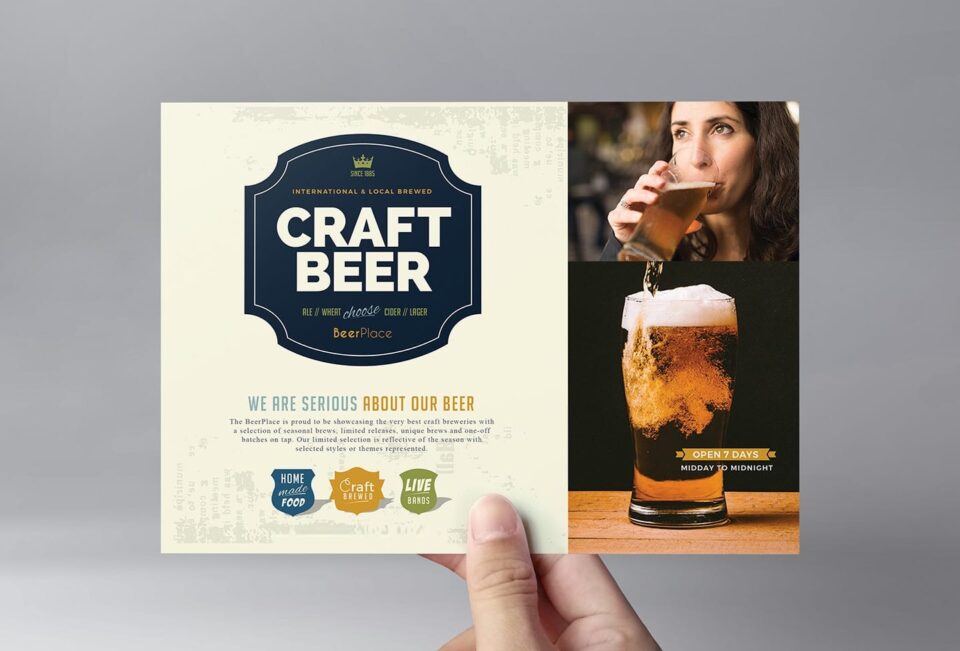
A bar flyer has a lot to communicate in a small amount of space. You might be promoting a themed night, live music, a happy hour, a new cocktail menu, or a special event, and the design needs to make people stop and pay attention. At the same time, the important details such as the date, time, location, and offer still need to be easy to find.
AI design tools can make this process faster, particularly when you need several promotional materials for the same event. Some can generate a design from a prompt, while others combine AI with templates, photo editing, branding, and other design features. Here are five tools worth considering when creating flyers for your bar.
Which AI design tools are best for creating bar flyers?
1. PosterMyWall
PosterMyWall is a practical first choice if you want to create a bar flyer and handle the promotion around it from the same platform. Rather than focusing only on AI-generated images, it combines templates, AI design tools, editing features, and social media marketing tools.
Its bar flyers give you a starting point for promotions such as happy hours, live music nights, DJ events, cocktail specials, and themed parties. You can replace the sample text and imagery, add your logo and branding, and adjust the design to suit your event. The same design can then be adapted for social media, email, or print.
PosterMyWall’s AI tools are useful when you have an idea but do not want to build the flyer from scratch. AI Chat can help brainstorm promotional ideas, write copy, and generate designs from a prompt. You can also use AI image generation, background removal, and other editing tools when preparing your visuals. Its social media marketing tool lets you publish or schedule designs across connected social accounts, which means the work does not stop once the flyer is finished. Premium currently starts at $13 per month, or $109 annually.
2. Adobe Express
Adobe Express combines AI-powered creative tools with Adobe’s wider collection of design and media assets. It can be useful for bar owners who want more flexibility than a basic flyer maker provides, particularly if they are already familiar with other Adobe products.
You can start with a flyer template or create a design using generative AI. Adobe Express includes tools for generating images, adding or removing objects, removing backgrounds, resizing designs, and creating text effects. It also provides access to Adobe Stock assets and Adobe Fonts, giving you plenty of options for building a more distinctive visual style.
For a bar, this could be useful when creating a set of matching materials for an event. A main flyer can be adapted into an Instagram post, Story, digital display, or other promotional format. Adobe Express has a free option, while paid plans provide additional premium assets, editing features, and generative AI credits.
3. Design.com
Design.com takes a straightforward approach to creating promotional graphics. Its flyer maker uses AI to help generate designs, while its templates can be customized by changing fonts, colors, layouts, and other elements.
For bar flyers, the platform can be useful when you need a quick design for a particular promotion but do not want to spend much time working through a complex editor. You can search for a suitable design, customize it around your event, and download the finished flyer in formats suitable for digital or print use.
Design.com also offers print services, so a flyer created digitally can be ordered as physical copies through the platform. Its premium plans start at $7 per month when billed annually, while free templates are also available.
4. Canva
Canva is one of the more familiar choices for small businesses that need to create promotional designs without much design experience. Its large library of templates makes it easy to find a layout and adjust it for a particular event or promotion.
For a bar, Canva can be used for flyers promoting everything from weekend specials to live entertainment and seasonal events. Its AI tools can help with generating content and design ideas, while features such as background removal and Brand Kits can make it easier to maintain a consistent look across your promotional materials.
Another advantage is the range of formats available. Once you have created the main flyer, you can adapt the design for social media posts, Stories, menus, invitations, and other materials. This can be particularly useful for bars that run several promotions throughout the month and want their branding to remain consistent.
5. Visme
Visme is better suited to users who want more control over the structure and presentation of their visual content. Although it is known for presentations and data-driven designs, its AI Designer can also generate printables and other marketing materials from a description.
The AI Designer uses a guided chat experience to understand what you want to create and can generate a structured design that you can then edit. You can provide details about the topic, audience, tone, and structure, and even upload a document or provide a link for the AI to use as a reference.
For a bar flyer, Visme can be useful when the promotion needs to communicate more than just a date and headline. For example, a flyer for a special event could include the entertainment lineup, ticket information, drink specials, and other details in a more organized layout. Visme has a free Basic plan, while Starter costs $12.25 per month per person and Pro costs $24.75 per month per person when billed annually.
What should you look for in an AI bar flyer tool?
The best choice depends on how much of the design process you want the tool to handle. Consider:
- Templates: Useful when you need a professional layout quickly.
- AI generation: Helpful when you want to create a design or visual from a description.
- Photo editing: Background removal and image editing can make food, drink, and event photography easier to use.
- Branding: Look for tools that let you save your logo, colors, and fonts.
- Social publishing: Useful when you want to move directly from creating the flyer to promoting it online.
For many bar owners, having these features in one workflow can be more convenient than using separate tools for design, copywriting, image editing, and social media.
Conclusion
A good bar flyer is less about having a complicated design and more about getting the main message across. Make the event or offer easy to understand, use a strong visual, and keep the date, time, location, and other important details visible. AI can speed up the design process, especially when you are starting with a blank page. Tools like PosterMyWall also make it easier to turn the same design into social media posts and other promotional materials, so you can use it across your marketing without starting over each time.
FAQs
1. How can I make a bar flyer more eye-catching?
Use one strong visual, a short headline, and a clear hierarchy of information. Make the main attraction, such as a live DJ, special offer, or themed night, immediately noticeable.
2. Can I use the same bar flyer for social media?
Yes, but it is better to resize or adapt the design for each platform. A flyer designed for print may contain small text that becomes difficult to read when posted as a social media image.
3. Can I create bar flyers without design experience?
Yes. Template-based tools such as PosterMyWall let you start with an existing layout and customize it rather than designing everything from scratch.
